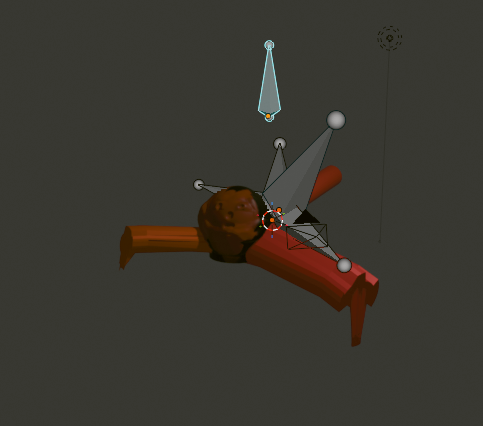
Starting
Starting the process of doing things again, as my life settles into what passes for normal these days. I find if I get up early with something to do I feel much better. Jumped out of bed to do something related to school things and spent the day making this as a practice to see if I can pick up where I left off or if all the learning goes out the window.
Spoiler, It goes well!
I started with an idea, I've seen these little glowy jumping chests in DuoLingo and thought, I could do better than that! There's just something lacking in the design, and I decided it was the opening of the chest. When you loot a box, you boot it open right? So why not smash a little? I know there's more to it, the little wiggles, the tremor in the sound, the sparkles. But I know what all of those are! I can make that! And so a challenge has been laid.
Step one, the box.
I knew I wanted a wooden box, like the one I used to own that I'm pretty sure was a cherry sea chest. But all I have are hardwood floors, so I took a picture of that and popped it onto the art computer.
I started with a basic cube, and stretched it out via the extrude function. Next time I'm doing it I'm not subdividing the cube until I have a shape I like. It ended up being a little wonky but I made it work.
Selection was a little hard to get used to, but once I figured out masking the additive and subtractive filtering it was just a matter of clicking a mouse a few times. It seems like I run into these things a lot, where people are trying to save clicks, protip, selecting by "Normal" gets you a selection of everything facing a certain direction. Handy!
Then I extruded in to make the inside of the box, I tried making a cut in the model, because that's what I would do if I were making this box out of wood, but it didn't make sense, and left me with just the chopped off top of the head. Boolean Modifier, while neat, and probably extremely useful down the line, for doing something like dynamically hiding an object, not for me!
I just used another cube. g, s, m hotkeys in blender are your friend. Grab, Scale, Move. Then I used the node shader layout thing (is it new?) to plug my image into the objects material. Boom! wood.
A little fiddling with bones, I used three, one foot Root, two for the box and the lid respectively, and I was off to the animation races. Did you know you can clear all in-memory data blocks by just quitting? Huge headache saver. Set to render, and voila!
Box.
A video of a wooden box with a big top moving back and forth on youtube.
For now, toodle-oo. I plan on doing a few of these and eventually adding sound and other neat thingies as I think of them.